oleeto
A desktop app that tracks your LeetCode progress, runs your code, and syncs everything to a clean GitHub repo.
A desktop app that tracks your LeetCode progress, runs your code, and syncs everything to a clean GitHub repo.
Paste a LeetCode link and the problem number, title, difficulty, and topic fill in automatically. Add your solution, rate your effort, and move on.
Built-in editor with syntax highlighting. Run your solution against test cases fetched from LeetCode and see output without leaving the app.
oleeto reads your code and detects time and space complexity. Override it if the guess is off. Either way it shows up in your synced repo.
Push solutions to a repo with one click. Each file gets a metadata header. Sync individual problems or everything at once. Your repo gets an auto-generated README with a heatmap, stats, and a full problem index.
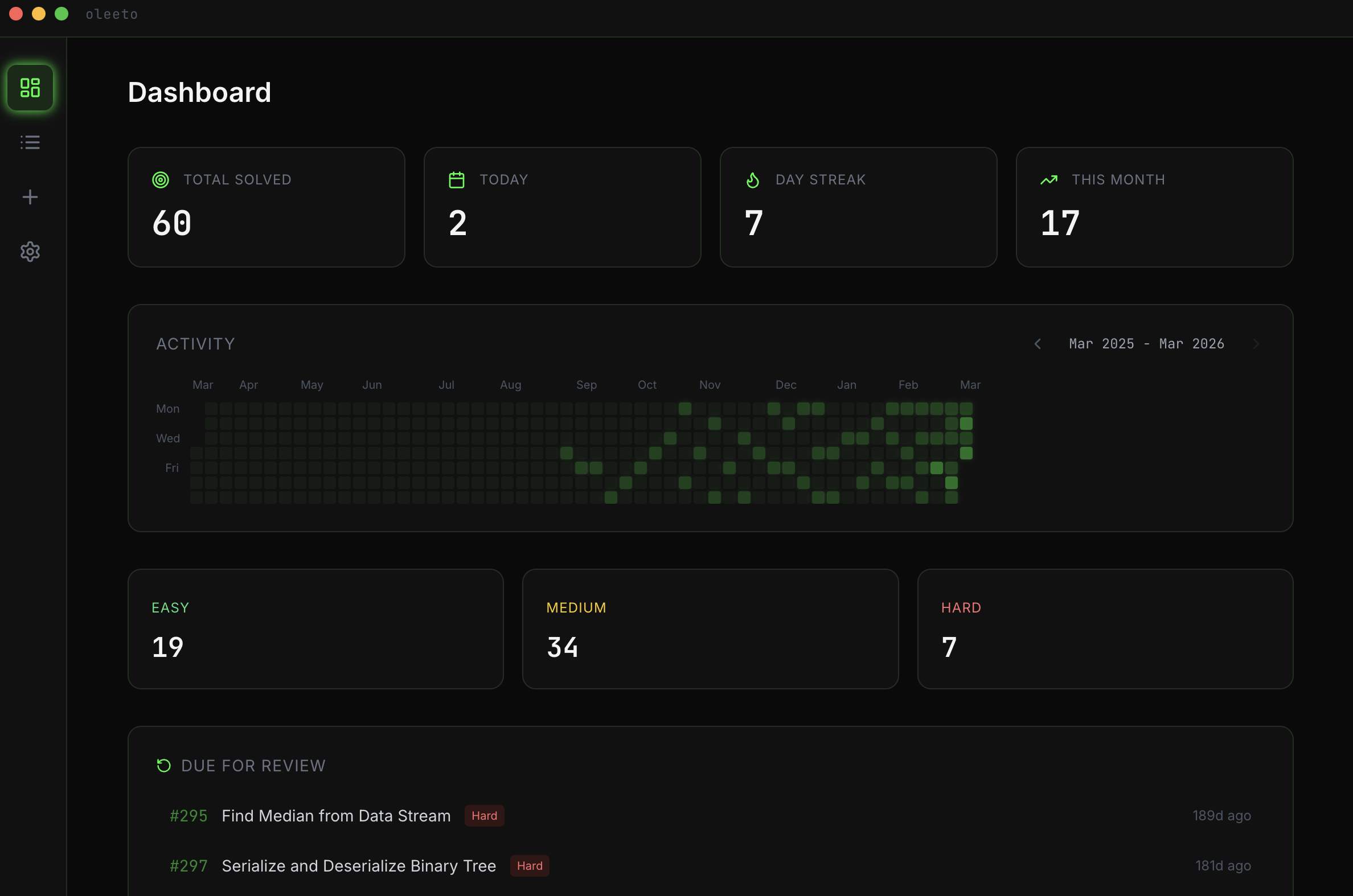
Activity heatmap, daily streak, monthly stats, and a difficulty breakdown. Search and filter your problem log. Rate each problem with a personal effort score.
oleeto surfaces problems you solved a while back so you can revisit them before interviews.
Free and open source.
After installing the .dmg, run xattr -cr /Applications/Oleeto.app to allow macOS to open it.
Or install via Homebrew: brew install --cask TrentWantman/tap/oleeto